Find and fix issues before your users notice.
Every exception, normalized and hashed so thousands of duplicates collapse into one issue, paired with the session replay or screen recording that caused it.
Every exception, grouped and ranked
Full stack traces, stable grouping. Thousands of duplicates collapse into one ranked issue so you fix what matters first.
- Full stack trace capture with file:line
- Intelligent error grouping via a normalized SHA-256 hash
- User impact analysis across sessions
- Source map resolution for minified JS
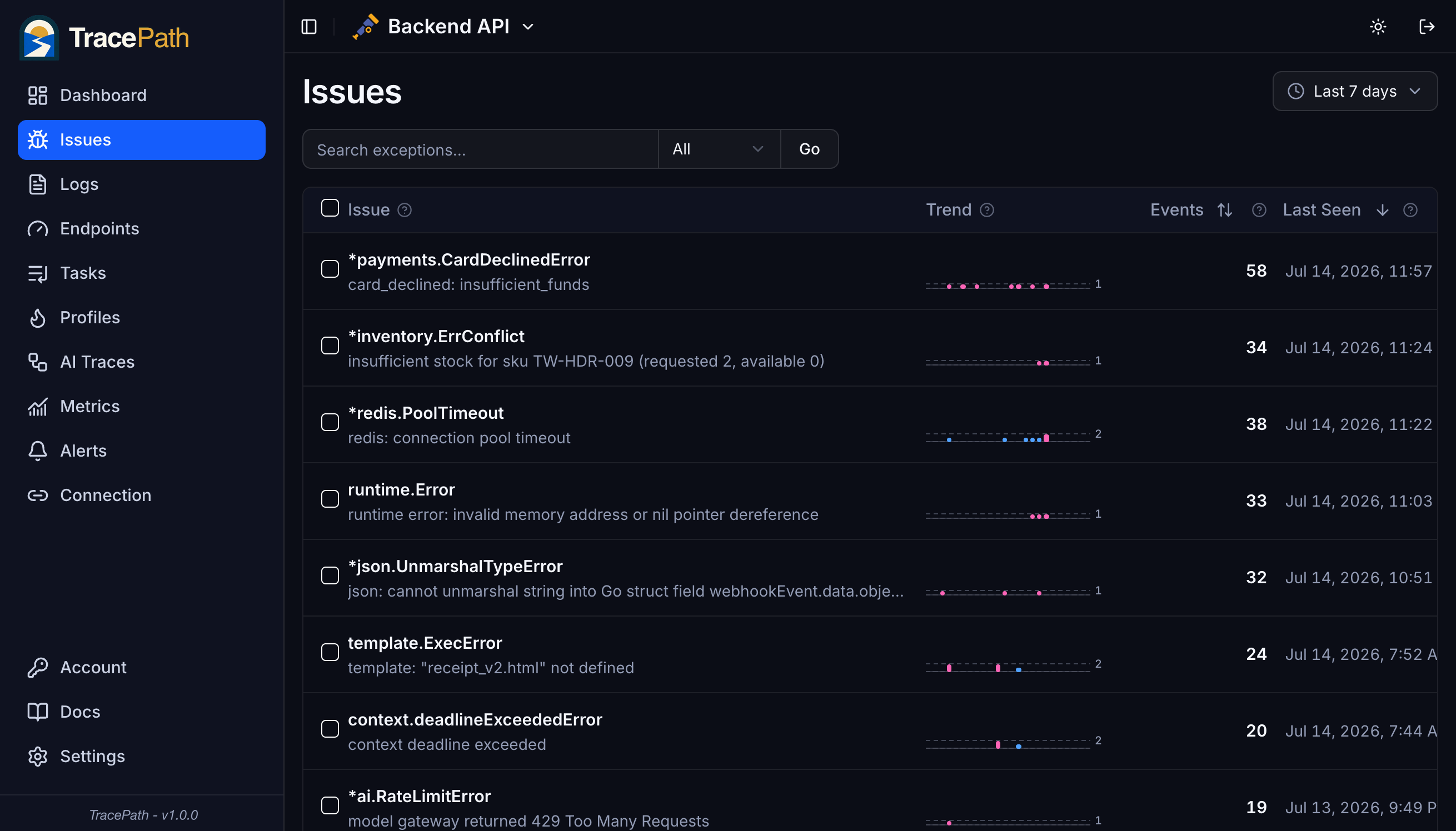
Same bug, same group, every time
TracePath computes its own fingerprint for every error: the stack trace is normalized, then hashed. Memory addresses, UUIDs, IPs, numeric IDs, and dependency versions are stripped first, so runtime noise never splits a group. One root cause means one issue instead of thousands, and alerts key on the same hash, so a new-issue alert fires once per real problem and a regression alert means the same failure is genuinely back.
- Error type kept, message text and the user data inside it dropped
- Resolved function names excluded, so source maps never reshuffle groups
- New-issue and regression alerts fire per group, not per occurrence
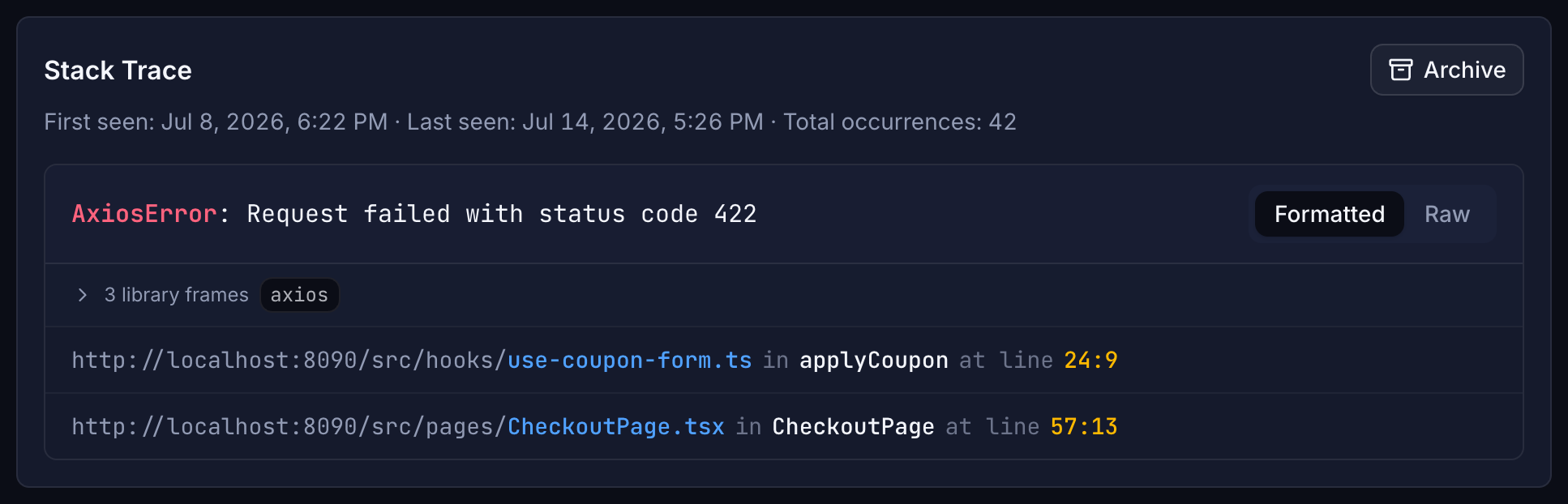
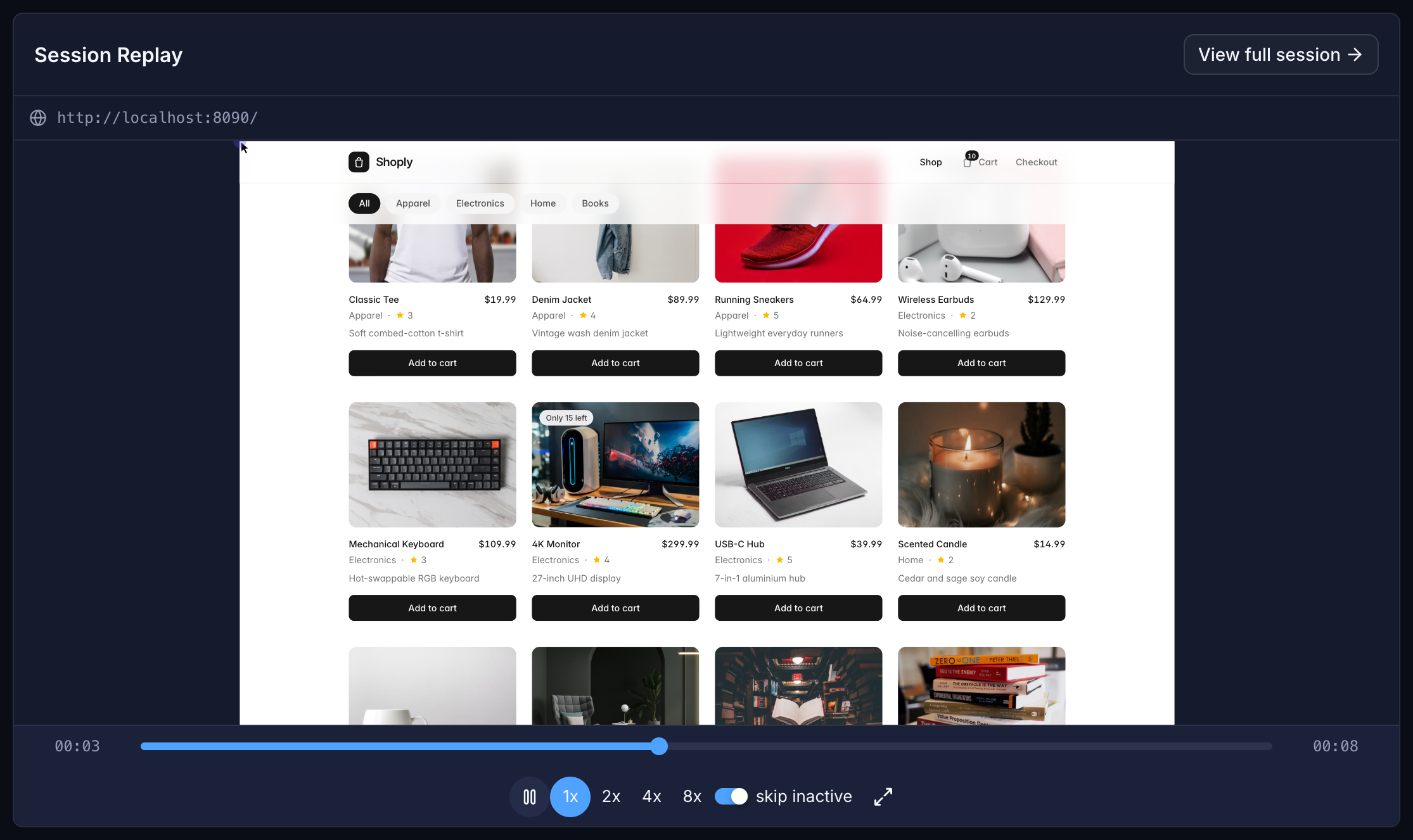
Pair every stack trace with the replay that caused it
When a backend exception fires, TracePath attaches the session replay or mobile recording the user was generating at that moment. Open the stack trace and the replay is right there. See what the user did, what the UI looked like, and where the code blew up, in one pane.
- Web DOM replay linked by trace ID
- Flutter and React Native screen recording
- Jump from stack frame → exact frame of the replay
- Frontend + backend context in one pane
Triage faster. Ship safer.
Connect an SDK, ship an error, see it in TracePath. 5-minute setup.
Questions about stack traces
How does error grouping work?
Every stack trace runs through a normalization pipeline before hashing: the error type is kept while the message text is dropped, absolute paths collapse to file and line, and memory addresses, UUIDs, IPs, emails, numeric IDs, and dependency versions are replaced with placeholders. The result is hashed with SHA-256 into a 16-character fingerprint, so identical logical errors always land in the same issue even when runtime values differ.
Why does grouping matter for alerts?
Alert rules key on the group. A new-issue rule fires the first time a group is seen, not on every occurrence, and a regression rule fires only when an error you already resolved comes back. Stable grouping is what keeps alerts quiet during a flood of duplicates and loud the moment something genuinely new breaks.
How does automatic issue ranking work?
TracePath scores each issue based on how often it occurs, how recently it appeared, and how many users are affected. Issues are continuously re-ranked as new data comes in, so regressions and trending problems surface immediately, with no manual triage required.
How does grouping handle different environments?
The normalization strips everything environment-specific: absolute file paths, server addresses, hostnames in URLs, and dependency version suffixes. The same bug produces the same group whether it fired on one server or fifty, in staging or in production.
Can I track frontend and mobile errors alongside the backend?
Yes. Web (Next.js, Svelte, Remix) and mobile (Flutter, React Native) exceptions land in the same dashboard as your backend ones, and each one carries the session replay or screen recording the user was generating when it fired. Open the stack trace and the exact frame of the replay is one click away. Source maps resolve minified web traces back to original source.