AI-first observability. Your agent does the debugging.
Your agent sets up TracePath, queries production telemetry, and finds the root cause.
Works with Claude Code, Cursor, Codex, and any MCP client.
From bug report to root cause
Paste the bug report as written. The agent pulls the matching exceptions, the logs around the failure, and endpoint stats, then opens the failing code.
- Grouped exceptions with full stack traces
- Logs correlated by trace id
- First-seen times point at the breaking deploy
- Ends with a proposed fix in your code

A command line designed for agents first
Built for non-interactive use: JSON output, stable errors, and nothing that hangs waiting for input. Humans on a TTY still get tables.
- JSON when piped, tables on a TTY
- --fields trims responses to what was asked
- Stable error identifiers and exit codes
- Mutations require --yes, nothing hangs
Set up by the agent, not by the docs
/tracepath-setup picks the right path for each part of the stack: OTel for backends, TracePath SDKs for browser and mobile. Then it verifies data is actually arriving.
- Detects frameworks and services from the repo
- OTel for backends, SDKs for web and mobile
- Covers background tasks, AI traces, and source maps
- Verifies grouped endpoints in the dashboard
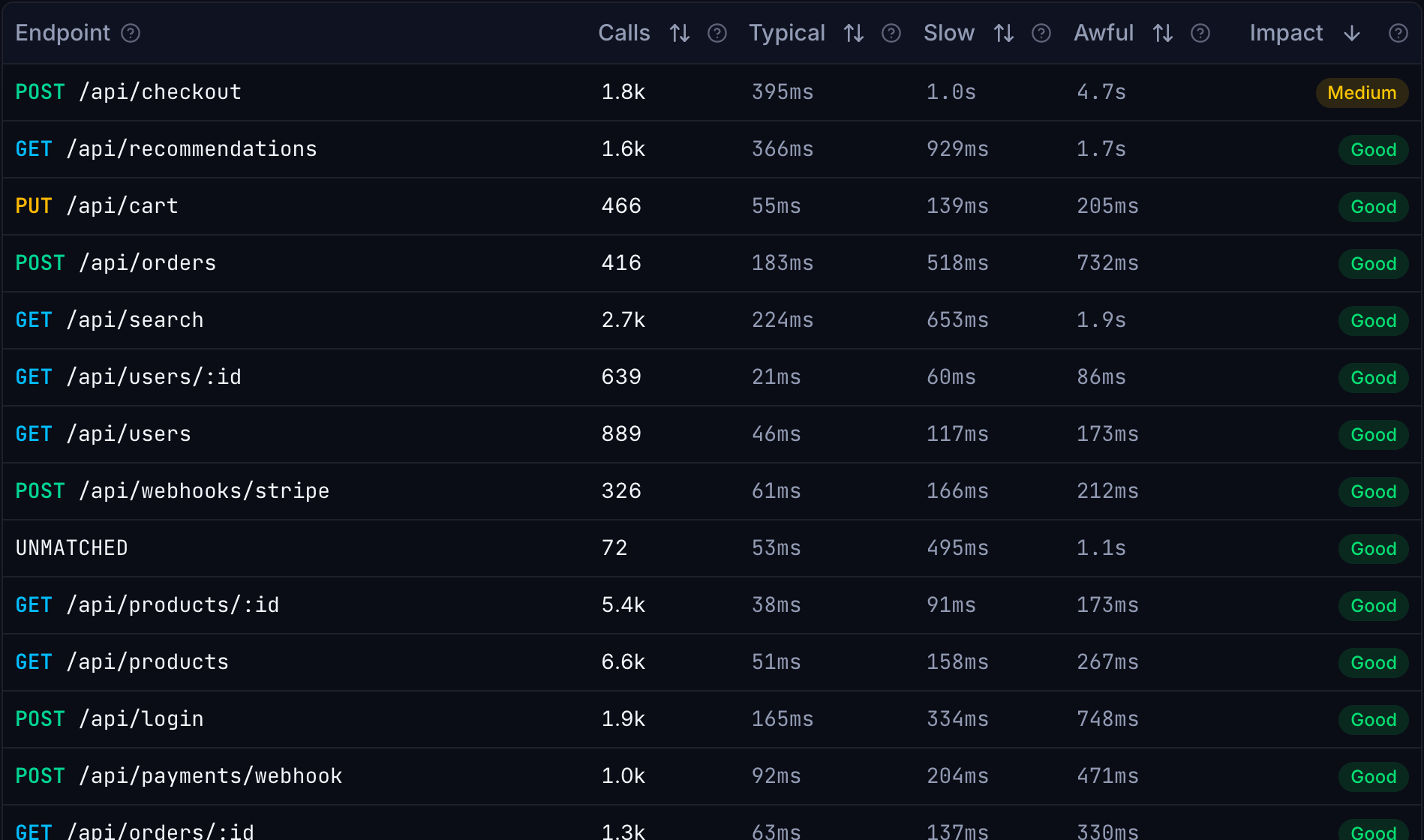
Two skills, one install.
Plain Markdown playbooks your agent loads on demand. One sets up your project, the other queries and debugs it.
01 · Setup
/tracepath-setup
Reads your repo and wires it up: OpenTelemetry for the backend, TracePath SDKs for web and mobile. Verifies data arrives clean and grouped.
OTel backendsWeb + mobile SDKsSource mapsVerification02 · Debug
/tracepath
Queries your telemetry through the MCP server: exceptions, logs, endpoints, and metrics, from bug report to root cause.
Telemetry queriesDebuggingIssue triageRoot cause
One format, every agent
Skills are plain Markdown in the open SKILL.md format, and the MCP server speaks the standard protocol. No marketplace, no proprietary plugin to install, nothing to port if you switch agents.
Prefer live tools? TracePath speaks MCP.
Connect Claude Code, Cursor, or any MCP client straight to your instance over OAuth. The same telemetry, exposed as MCP tools, prompts, and resources.
Give your agent production context.
Connect your agent to your telemetry and let it take the next bug.
Questions about agent skills
What exactly is an agent skill?
A SKILL.md file: Markdown instructions your agent loads when a task matches. TracePath ships two, one that sets up a project and one that queries and debugs it. Both come bundled with the TracePath CLI.
Which agents are supported?
Anything that reads SKILL.md: Claude Code, Cursor, Codex, OpenCode, Gemini CLI, Copilot, and more.
The skills ship inside the TracePath CLI, and the MCP server exposes the same knowledge as resources to any MCP client.
Can an agent damage my production data?
No. The tools an agent gets are read-only apart from archiving exception groups, which needs an explicit confirmation.
Can I point it at more than one project?
Yes. The agent picks the project per query, and you can register more than one MCP connection if you work across separate organisations.
Do I need to install anything?
No. The MCP server is remote and speaks HTTP, so one `claude mcp add` command is the whole setup — there is no binary to download. A TracePath CLI is on the roadmap and is not published yet.
Is there an MCP server too?
Yes — it is how the skills talk to your telemetry. TracePath serves Model Context Protocol remotely over OAuth at https://app.tracepath.dev/mcp. A local stdio server will ship with the TracePath CLI, which is not published yet.