Alerts post to a channel. Pages wake people up.
TracePath already knows your error rate spiked. On-Call turns that into somebody's phone ringing, then keeps escalating until a human acknowledges. Rotating schedules, escalation policies, and per-responder notification rules, in the same tool that holds the stack trace.
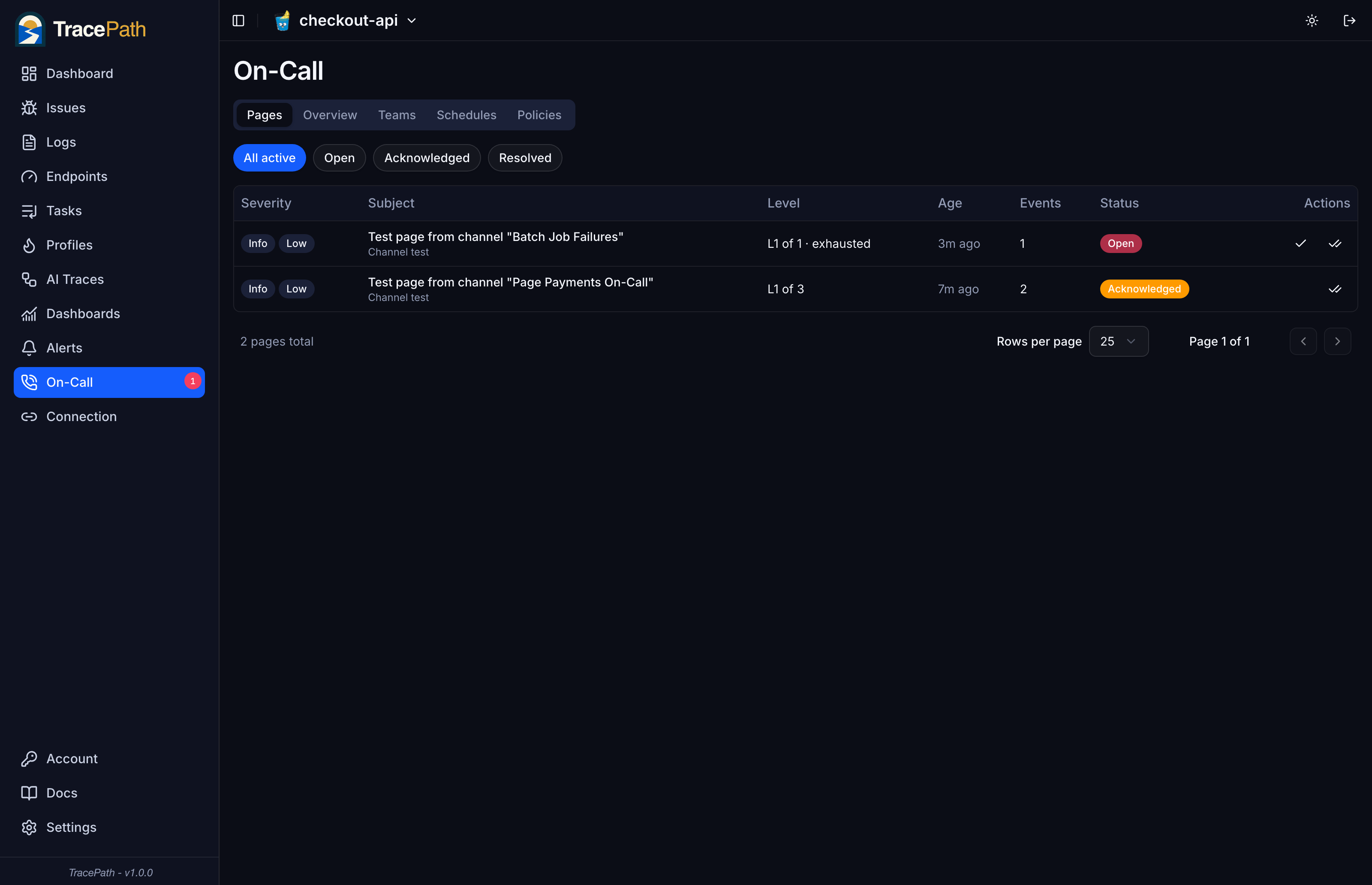
A flapping error is one page
A page is the unit of work, not the message. While it is unresolved, the same condition bumps an event counter instead of opening a new incident, and it never restarts the escalation clock. Sixty firings over half an hour produce one page and exactly the notifications the policy calls for.
- Re-fires bump the event count and notify nobody again
- The escalation clock is never reset by a duplicate
- Open, acknowledged, and resolved, with the level always visible
- Resolving releases the key so the next occurrence pages fresh
Rotations that survive real life
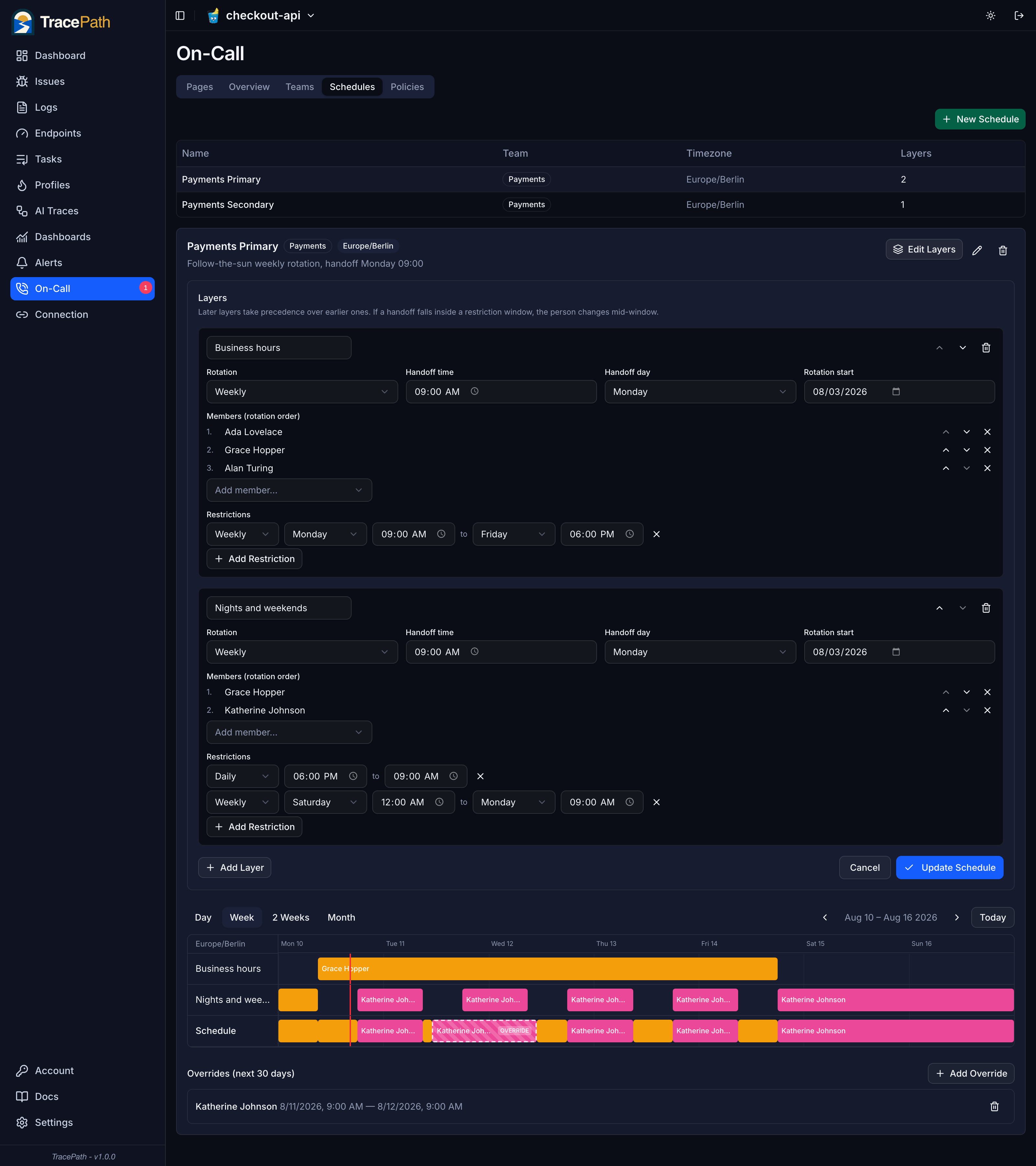
Stack layers to describe how your team actually works. A business hours layer over the whole team, a nights and weekends layer over the smaller group who signed up for it, each restricted to its own window. Later layers take precedence, so the schedule row at the bottom is who actually gets paged.
- Daily, weekly, or every N days, with a handoff time you choose
- Time-of-day and day-of-week restrictions per layer
- Every schedule carries its own timezone, daylight saving included
- The timeline renders the stack, so you can see it before it pages
Escalation stops on acknowledge, not on send
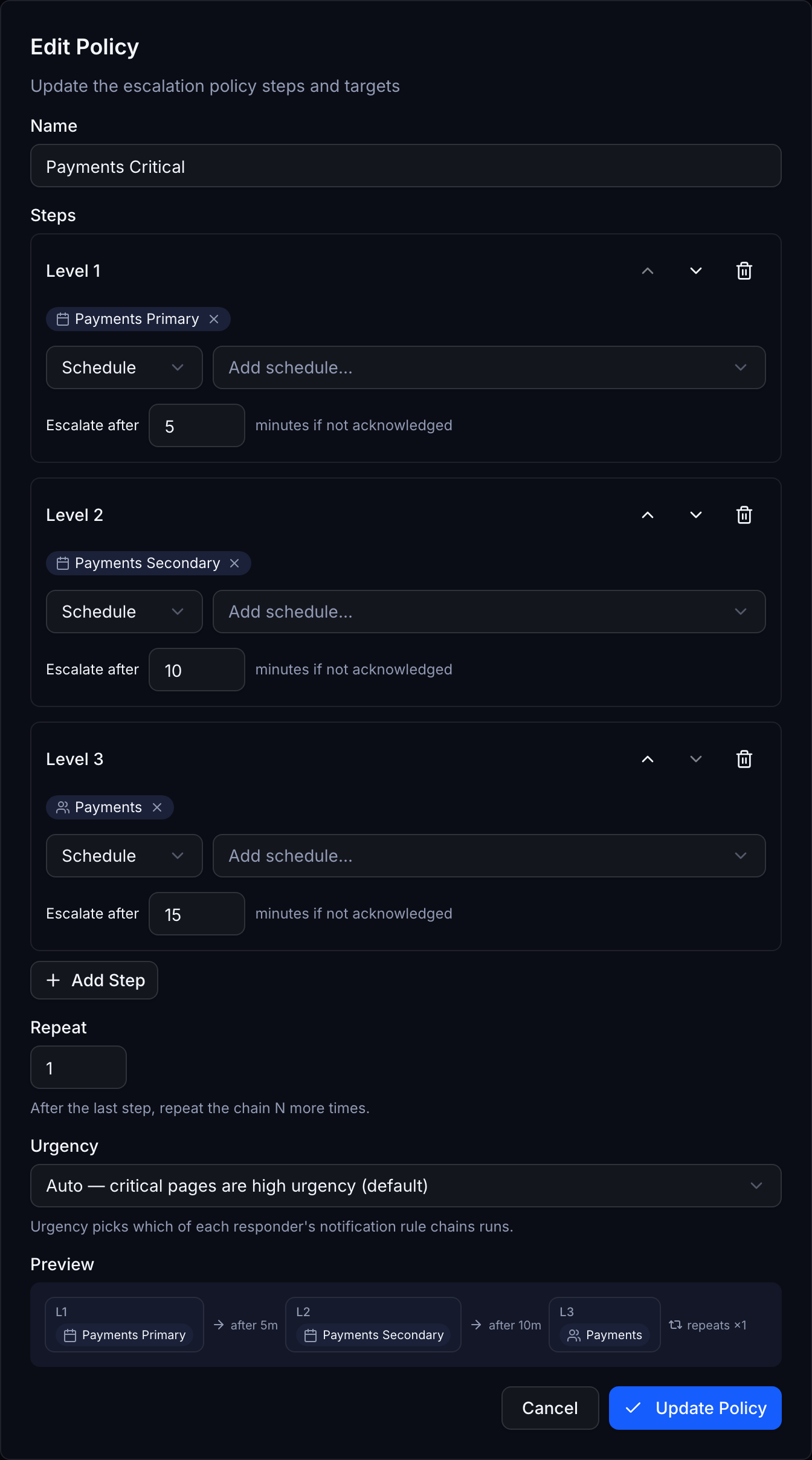
Delivering a message proves nothing. A policy climbs level by level until a human takes the incident: primary schedule first, secondary after five minutes, the whole team after ten. Targets resolve to people when the step runs, so a schedule step always reaches whoever is on call right now, including an override that started a minute ago.
- Target a schedule, a team, a specific person, or a Slack channel
- Per-step delay, and a repeat that loops the whole chain
- Urgency picks which of the responder's rule chains runs
- Each page snapshots its policy, so edits never disturb live incidents
Nudge first, then get loud
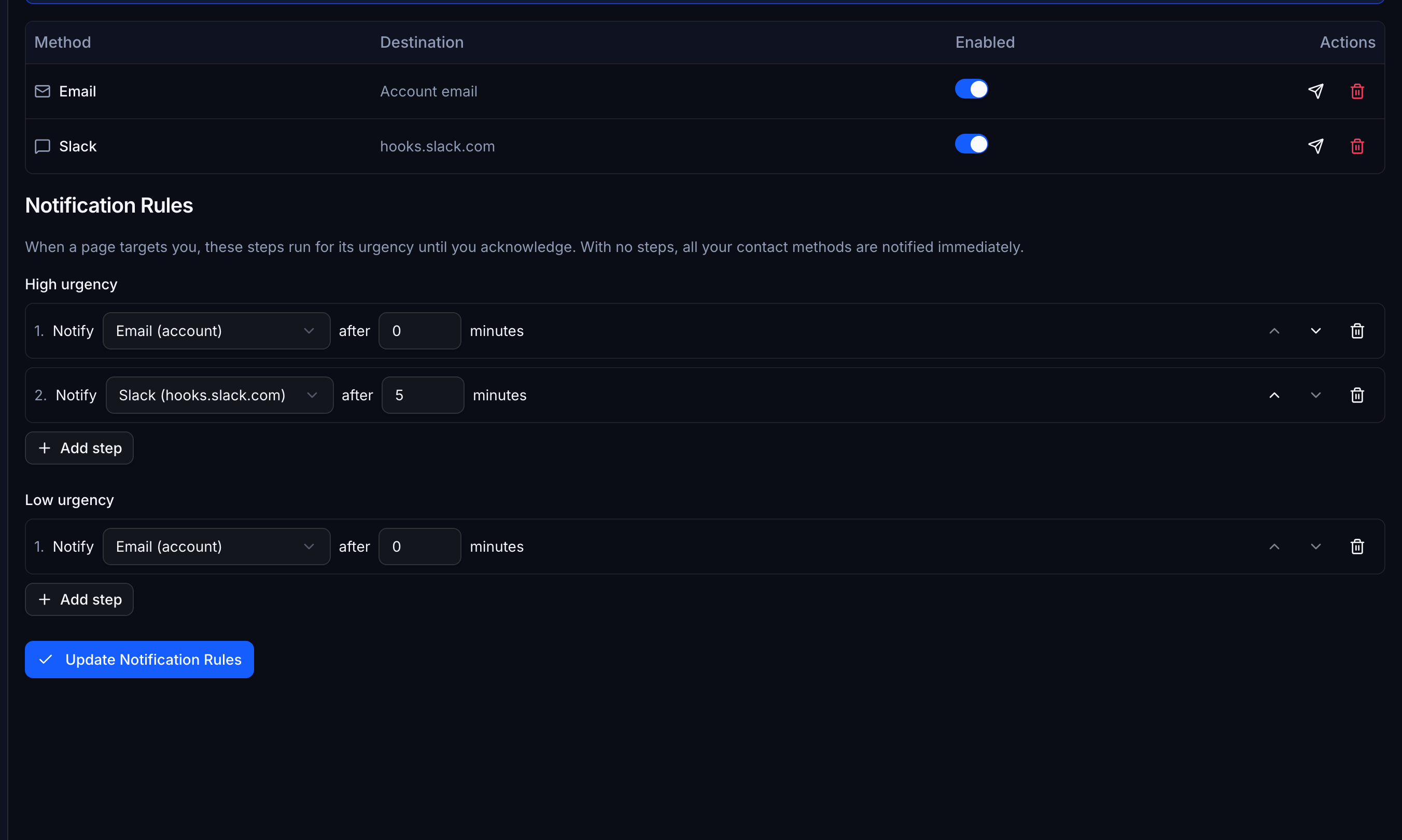
Each responder owns their own chain per urgency. Slack immediately, a push after two minutes, SMS after five. The whole chain is scheduled the moment the page reaches you, and acknowledging cancels every step that has not fired yet. Take the incident in the first thirty seconds and your phone never rings.
- Email, Slack, Pushover, Telegram, and SMS
- Separate chains for high and low urgency
- Acknowledging cancels the tail of your own chain
- No contact methods configured falls back to your account email
Acknowledge without logging in
Every delivery to a person carries its own acknowledge link. Tap it from the notification and the escalation stops. No session, no password manager, no SSO round trip at 3am. The link is scoped to acknowledging that one page and nothing else, and it stops working once the page is resolved.
- One single-purpose token per delivery, stored hashed
- Opening the link is read-only, so email scanners cannot ack for you
- Attributed to the person the delivery was addressed to
- Acknowledging never requires write access on the project
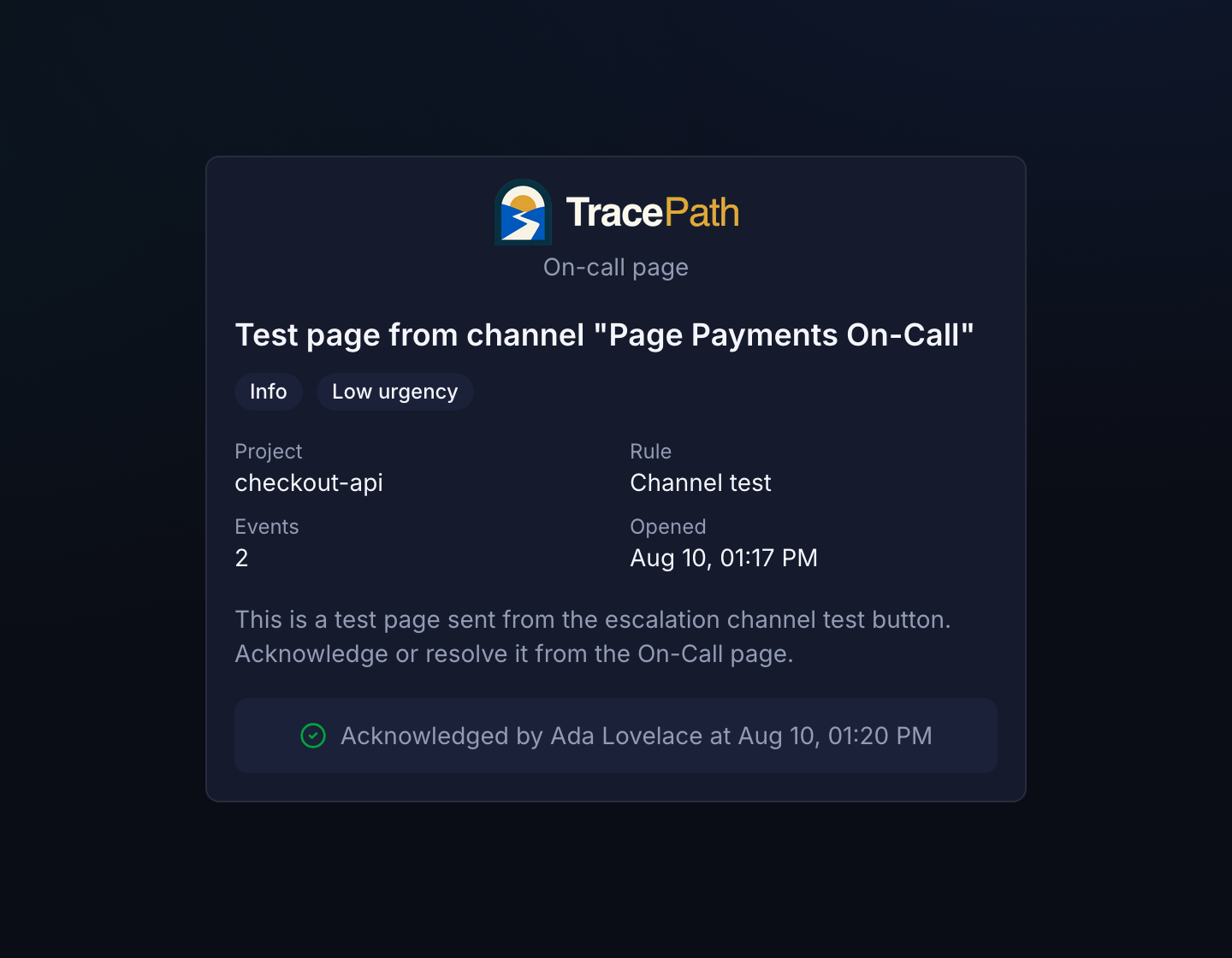
The rules you already have, pointed at a human
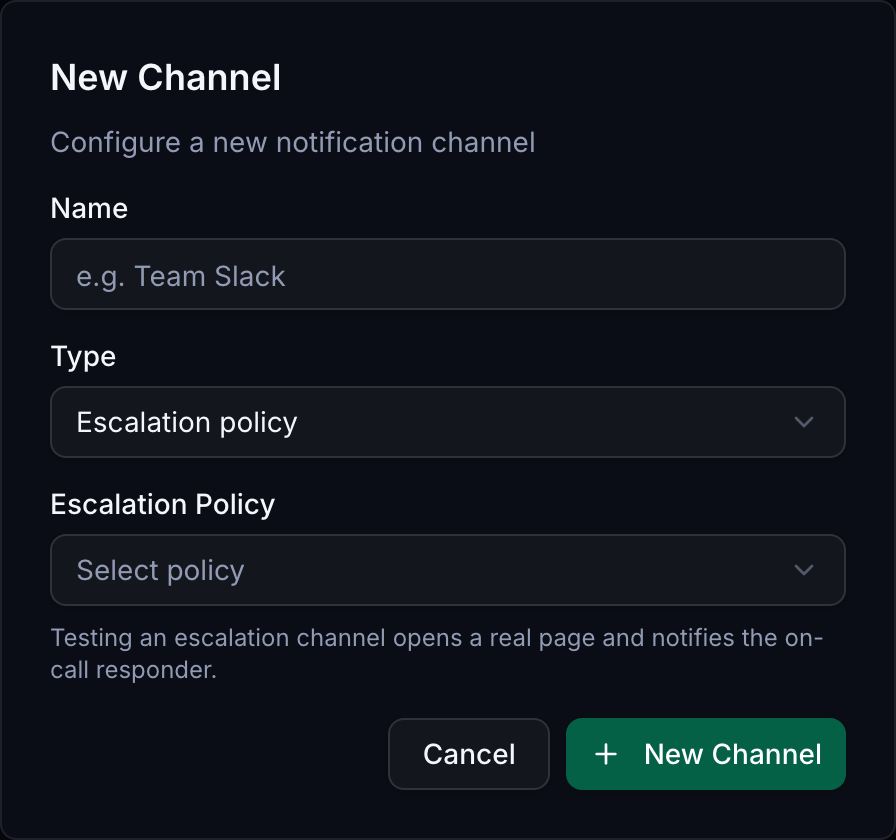
Paging is a channel type. Create an escalation channel, point it at a policy, and attach any existing alert rule to it. The rule fires and opens a page instead of sending a message. The Test button opens a real page and runs the real escalation, which is the only honest way to find out whether your rotation and your phone both work.
- No separate alerting config to keep in sync
- Any rule can page: error rate, latency, metric threshold, missing data
- Teams own projects, so an issue shows who is on call for it
- Test end to end before you rely on it
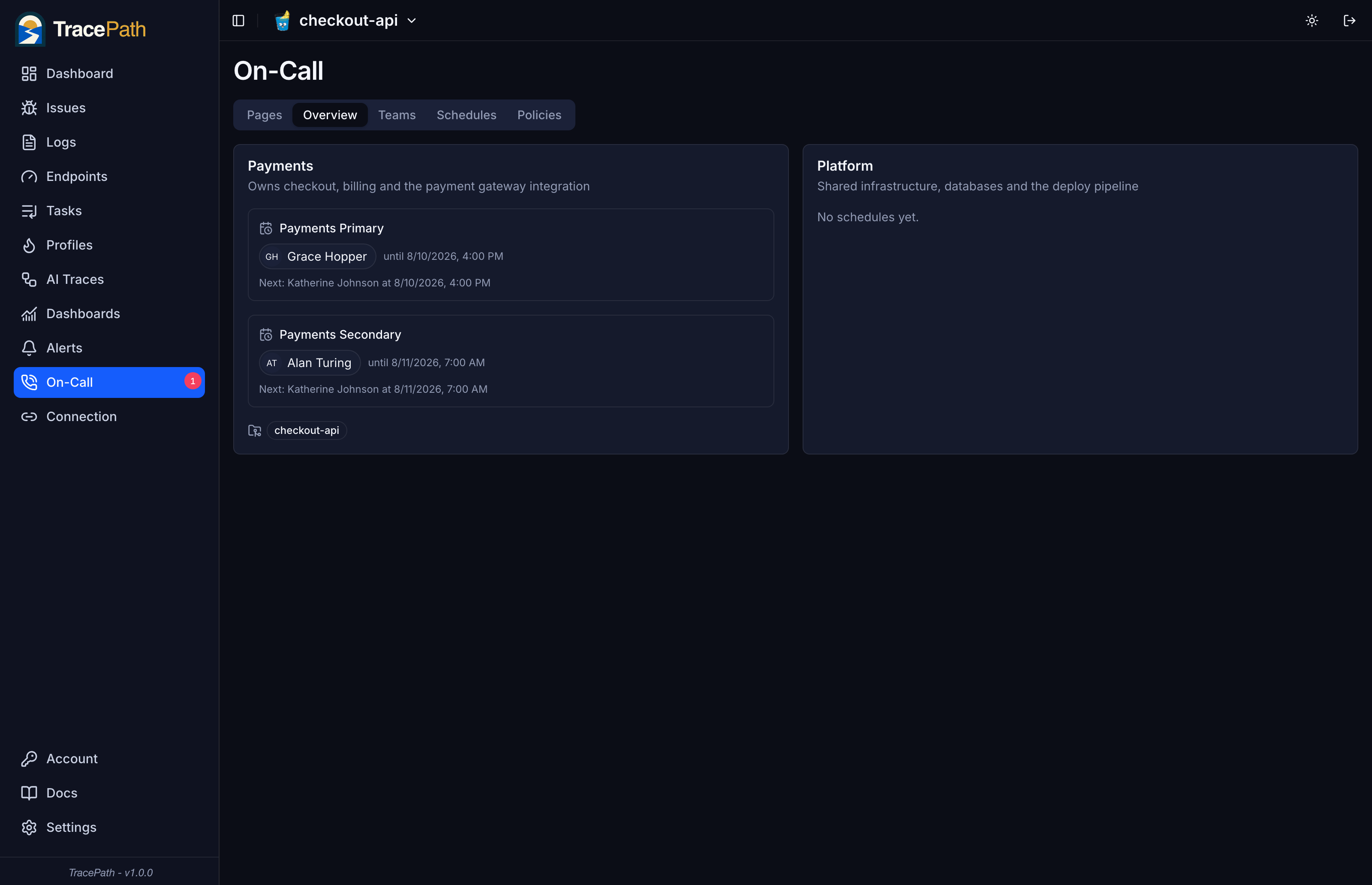
Never ask “who is on call?” in Slack again
One screen shows the current responder and the next one up, per team and per schedule. The same answer appears on the issue itself, so when you are staring at a stack trace you already know who owns it and who to pull in.
- Current and next on-call, per schedule
- Shown on the issue page for the project you are looking at
- Teams own projects, so ownership is never ambiguous
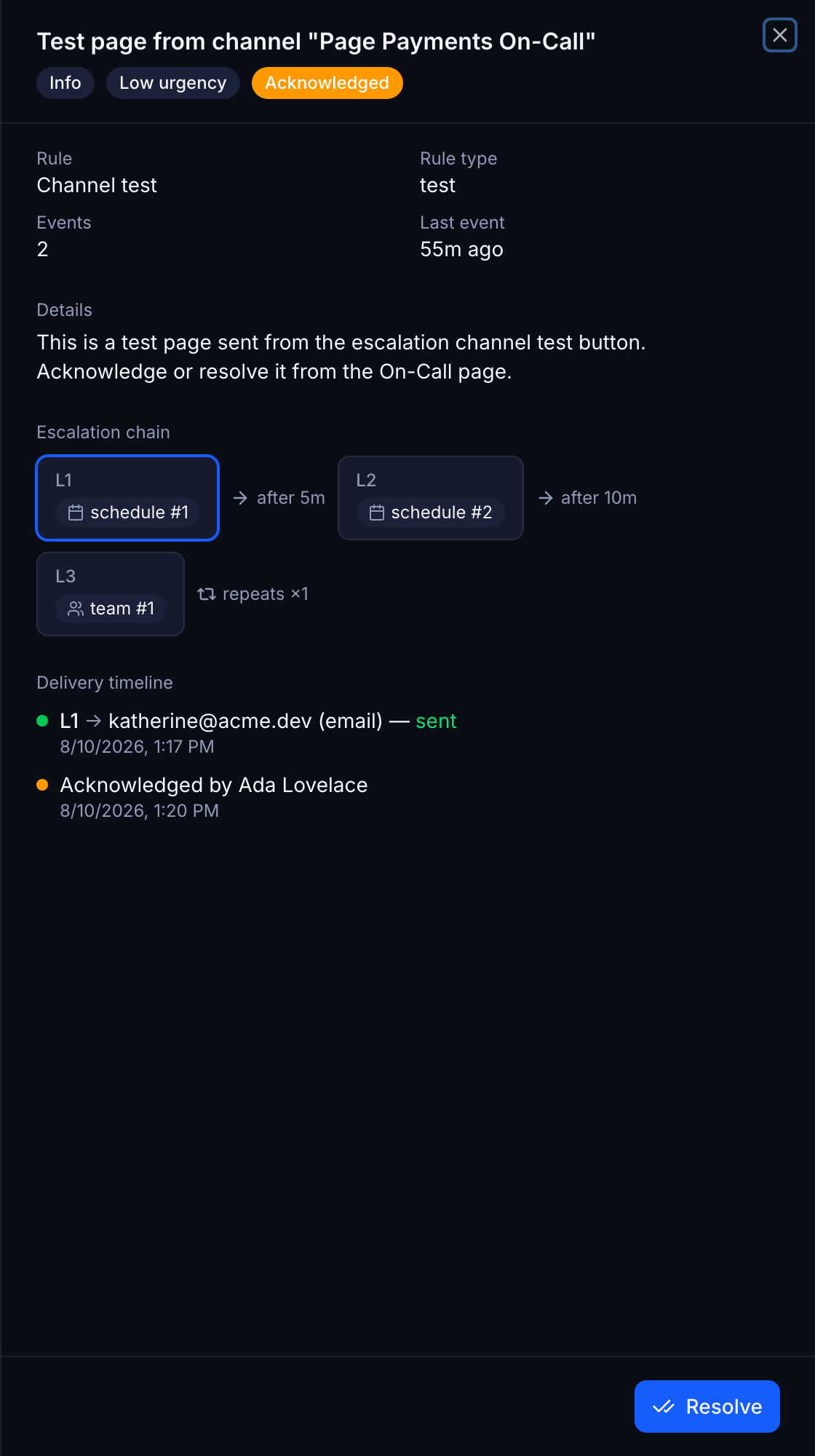
Every attempt, on the record
When someone says they never got paged, the delivery log settles it. Each page shows its escalation chain with the current level, and every delivery attempt with its destination and outcome. Nothing sends from inside the request that triggered it, so a crash mid-incident cannot lose a page.
- Durable outbox, with the level advance committed alongside it
- Retries on a 1, 5, 15, 60 minute backoff before failing terminally
- Acknowledging cancels queued deliveries, permanently
- Queue depth and oldest pending delivery on the health endpoint
Stop paging the whole team
Schedules, escalation policies, and per-responder rules, in the same tool that already holds your traces. Included on every plan, with no per-responder fee.
Questions about on-call and paging
Do I still need PagerDuty?
Not for the paging loop itself. TracePath covers rotating schedules with stacked layers and restrictions, overrides, multi-level escalation policies with repeat, per-responder notification rules per urgency, deduplicated incidents, and acknowledge links that work without logging in. The difference is that the alert, the stack trace, the trace, and the page all live in one place, so the person you woke up lands on the evidence instead of a link to another tool.
What stops a noisy alert from paging me sixty times?
Deduplication. While a page is unresolved, the same rule and dedup token bump the existing incident rather than opening a new one. The event counter goes up, the escalation clock is untouched, and nobody is notified again. The number of notifications is decided by your escalation policy and your own rule chain, never by how many times the condition fired.
How do I handle a vacation or a swapped shift?
Add an override for the dates. It beats every layer for that window and disappears on its own when the dates pass, so there is no rotation to reshuffle and nothing to remember to put back. Any member of the organization can create one, because covering for a teammate should not need an administrator.
What happens if nobody acknowledges?
The policy keeps climbing. Each step waits its configured delay, then notifies the next set of targets. After the last step you can set Repeat to send the whole chain around again up to five more times. Once the policy is exhausted the page stays open and visible in the queue, but nothing further is sent.
Does SMS paging work out of the box?
It needs Twilio credentials on your server: TWILIO_ACCOUNT_SID, TWILIO_AUTH_TOKEN, and one sender. Without them SMS is not offered at all, rather than silently accepted and dropped. Slack, Pushover, and Telegram need nothing beyond the webhook or token each responder adds to their own contact method. Email is the one that depends on the server, so configure SMTP before you rely on it: with SMTP off, TracePath logs the message instead of sending it.
Can someone with read-only access acknowledge a page?
Yes, deliberately. Acknowledging and resolving require project read access and nothing more. A responder who gets paged at 3am is never blocked from taking the incident by a permissions check, and the acknowledge link in the notification works without a session at all.